Vector Databases Too Expensive - S3 Vector Might Be Your Answer
Background
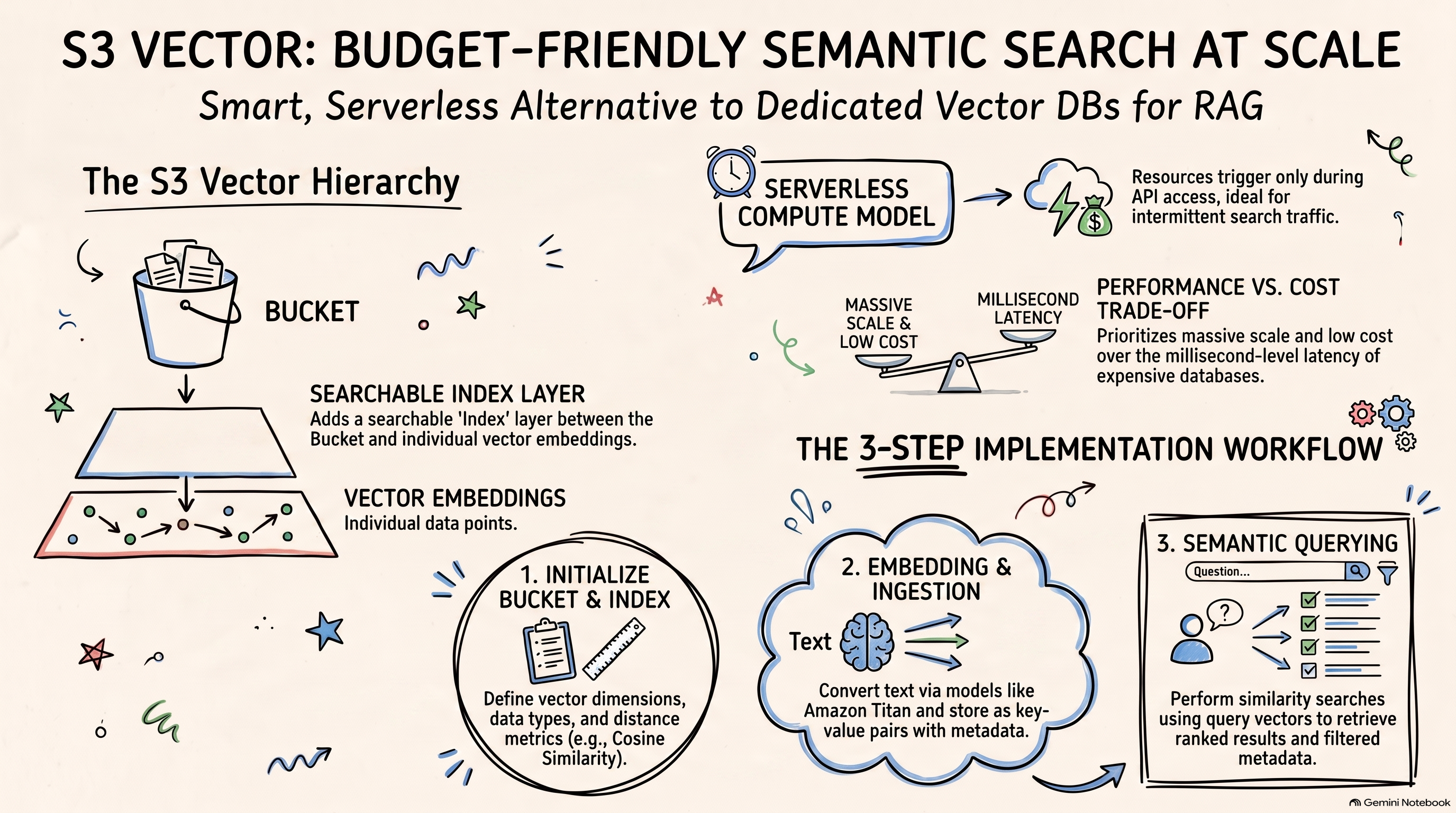
In my previous articles, I have shared quite a bit about RAG systems. One of the most important components in any RAG pipeline is vector storage. High-performance vector databases are usually expensive. But what if you need to store massive amounts of vector data, and latency is not your top priority? Can we find a balance between performance and cost? And if so, what storage option fits that trade-off?
That is exactly where AWS S3 Vector comes in. In this article, I will share what I learned about this service and walk you through a hands-on example.
After reading this post, you should understand how S3 Vector extends the S3 object storage model to vector data, and how to use it in a simple RAG-style workflow.
From S3 to S3 Vector
Characteristics of S3 Object Storage
Among the three major storage types — object storage, block storage, and file storage — S3 is the classic example of object storage. Unlike the other two, S3 stores data as objects inside a flat container (in S3, this container is called a Bucket). Each object contains a key (name), data content, and metadata. The structure looks roughly like this:
1 | Bucket |
Because of this design, S3 offers several advantages:
- Extremely strong scalability
- Very low cost for massive, infrequently modified data
Of course, it also has limitations, such as:
- Not ideal for frequent random read/write operations — you work at the whole-object level
- Relatively higher latency
That is why AWS S3 (or Azure Blob Storage) is a great fit for backups, media files, logs, and other static data scenarios. In more complex architectures, S3 often works alongside high-performance storage services to form a hot/cold multi-tier storage design.
In the AI era, this same pattern naturally extends to vector storage.
How S3 Vector Extends S3
From a product positioning perspective, S3 Vector solves the same problem that S3 solved in the traditional cloud era: store more data at a lower cost. The difference is that the data being stored is vector data.
Of course, you could store raw semantic vectors directly in a classic S3 Bucket. But for AI applications, raw vector data alone is not very useful. What we actually need is similarity search over vectors — the foundation for building Agents or RAG systems.
So S3 Vector keeps the familiar Bucket concept and introduces a new storage structure on top of it:
1 | Vector bucket |
The key difference is that S3 Vector introduces an index layer, where embeddings and metadata are stored as key-value pairs.
You can still read an embedding by key, but in real AI applications, what you usually need is to search for information that is semantically closest to a query.
That is the biggest difference from a classic S3 Bucket. Beyond storage, S3 Vector also manages underlying compute resources in a Serverless way. When a user query comes in, the service performs the search for you.
This Serverless, pay-as-you-go compute model means resources are triggered only when APIs are accessed — not kept running while idle. That keeps compute costs as low as possible.
Smart design, right? It is a strong fit for scenarios with massive vector storage, moderate access volume, and relaxed latency requirements — very much aligned with the design philosophy of object storage.
Next, let’s walk through a simple example to see how S3 Vector works in practice.
Demo
Create a Vector Bucket
As you can see, S3 Vector has its own dedicated client:
1 | import boto3 |
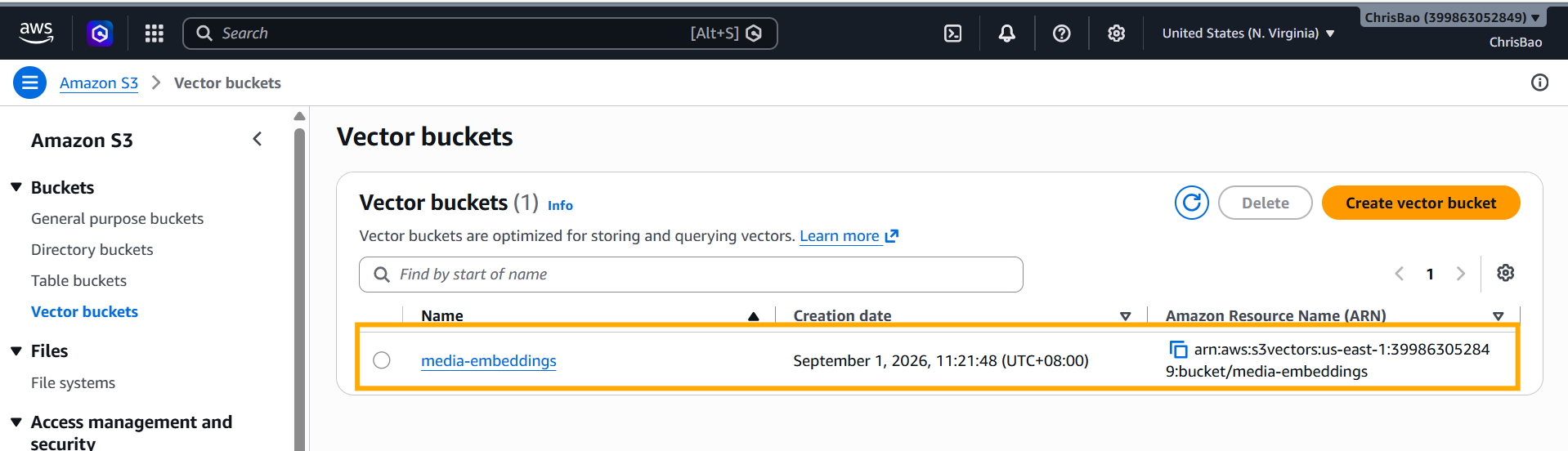
The created Vector Bucket looks like this:
Create a Vector Index
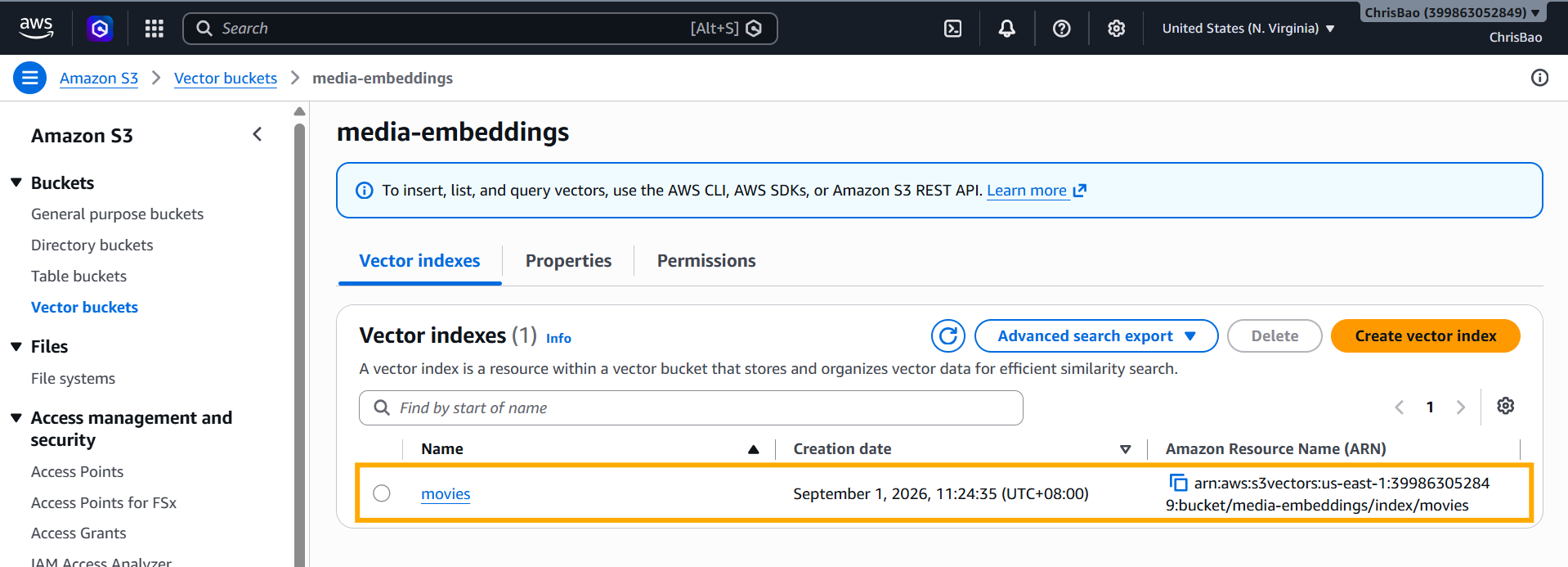
Next, let’s create a Vector Index inside the Vector Bucket:
1 | # Create a vector index "movies" in the vector bucket "media-embeddings" with non-filterable metadata keys |
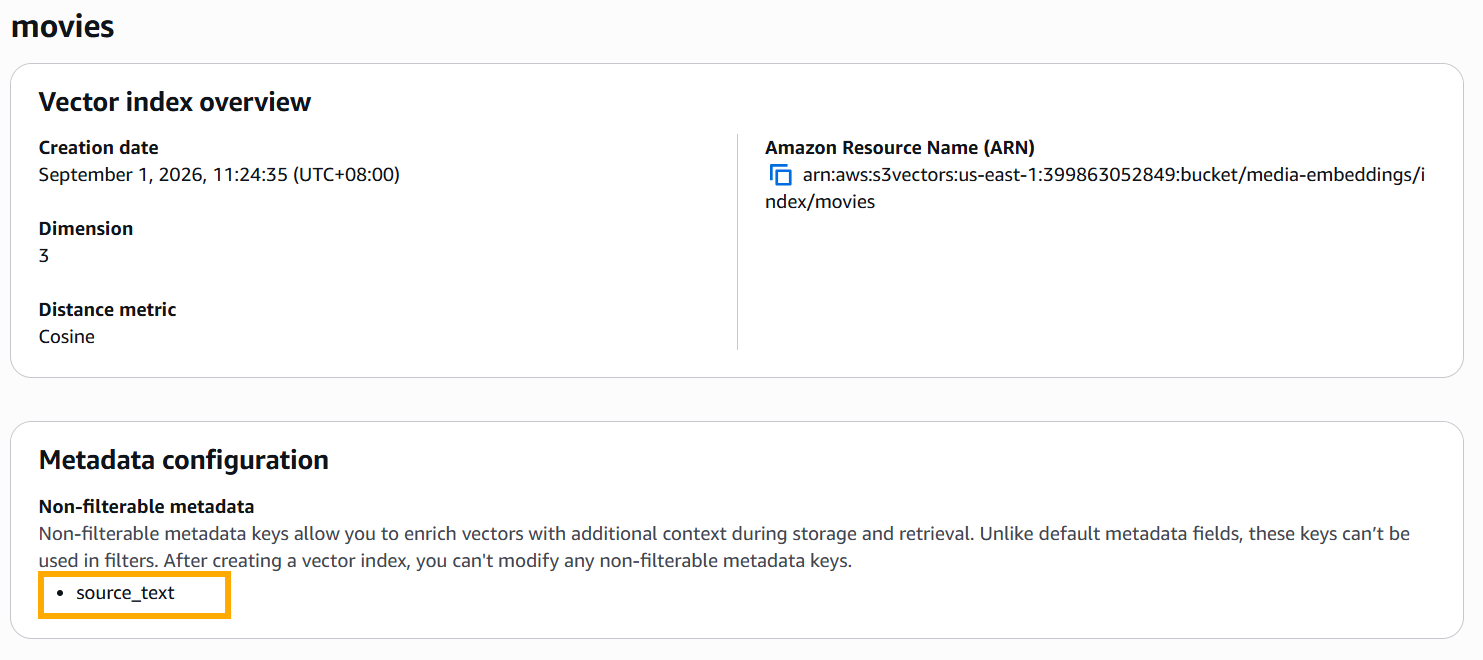
dimensionanddataTypedefine the vector dimension and numeric type. These must match the embedding model you use later.distanceMetricdefines how vector distance is calculated. Since we are working with plain text in this article,cosineis a good choice.metadataConfigurationcontrols metadata behavior. By default, metadata fields support filtering. But some fields are not ideal for filtering — for example, the original source text. That field is mainly there to provide context so you know what the search result actually is. So we marksource_textas non-filterable.
The Vector Index details look like this:
Embedding and Data Ingestion
Now we can ingest data. First, we choose amazon.titan-embed-text-v2:0 as our embedding model.
Then we call put_vectors to write embedding data into the index:
1 | import json |
Pay attention to the structure of each vector entry:
1 | { |
Notice that float32 matches the type we defined when creating the index. The source_text field will not support filtering, while other metadata fields will.
Query and Search
As mentioned above, S3 Vector is more often used for similarity search via query_vectors, rather than reading an embedding by key.
1 | # Query text to convert to an embedding. |
We also added a metadata filter on the genre field. The final result looks like this:
1 | [ |
Great, right? With just a few API calls, we get semantic search plus metadata filtering — a practical building block for cost-sensitive RAG systems.
Summary
S3 Vector combines S3’s low-cost storage with Serverless vector search. It is a strong option for building cost-sensitive RAG systems — especially when you have large volumes of vector data, moderate query traffic, and relaxed latency requirements.
As I mentioned in my previous RAG articles, choosing the right vector store is always a trade-off. If your workload does not need millisecond-level retrieval on every query, S3 Vector is worth a closer look.