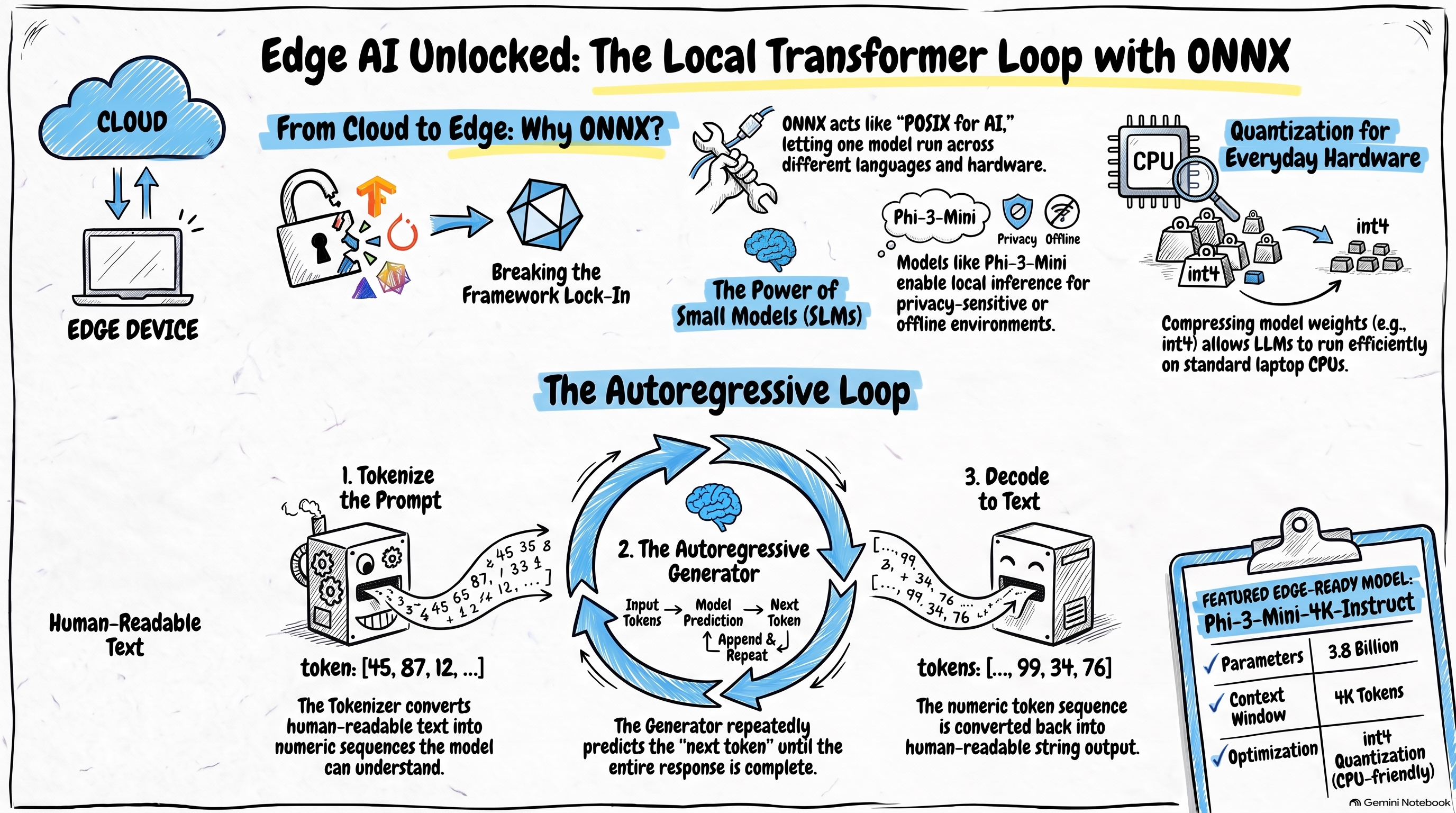
Breaking Into Edge AI: Deconstructing the Transformer Autoregressive Loop with ONNX Small Models
Background
If you have been reading my articles for a while, you probably know that I have focused mainly on Azure and AWS cloud AI services and applications. In this post, I want to step outside that comfort zone and introduce a different direction: edge AI.
In this article, I will share what I learned about ONNX (Open Neural Network Exchange) — an open standard and file format that helps AI models run across platforms. We will look at the problem it solves, the convenience it brings to AI/ML applications, and how this capability extends in the GenAI era to make local small-model deployment and inference much easier.
If those questions interest you, let’s get started.
ONNX: Cross-Platform AI Models
What Problem Does ONNX Solve?
What problem is ONNX trying to solve? Let me explain with a story from my own experience.
At a previous employer, we built a real-time computing system as a cloud service on the .NET stack. Due to business requirements, we needed to explore deploying machine learning models on that system and serving online inference. Before that, the system had no ML requirements or capabilities at all — it was a fairly ordinary .NET backend microservices stack.
To add ML inference, I researched several approaches:
Dedicated model inference services: Platforms like Azure Machine Learning or AWS SageMaker can host models for online inference, and our system would communicate with them over the network. This approach requires significant infrastructure investment, and network calls also add latency.
Embedded ML frameworks: We could integrate frameworks like PyTorch or TensorFlow directly into our system, embed models in-process, avoid extra infrastructure and operations, and skip network calls at inference time — all good for performance. But this approach locks you into a specific framework and reduces flexibility.
As you can see, each approach has trade-offs. Wouldn’t it be great if one solution combined the strengths of both while avoiding their weaknesses? That is exactly what ONNX does.
ONNX
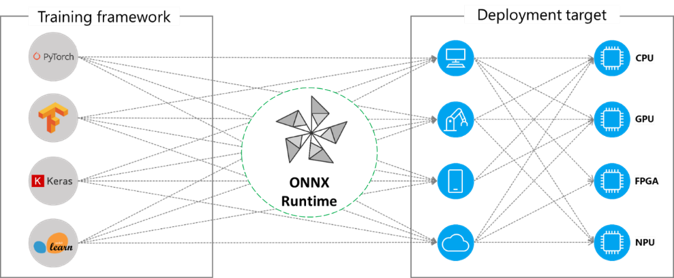
ONNX (Open Neural Network Exchange) is an open standard that defines a common format for machine learning models, enabling cross-platform deployment. You can think of it as the AI equivalent of POSIX (Portable Operating System Interface) — a standard that lets different UNIX/Linux kernels interoperate.
Today, ONNX is supported by major ML frameworks and vendors.
ONNX & ONNX Runtime
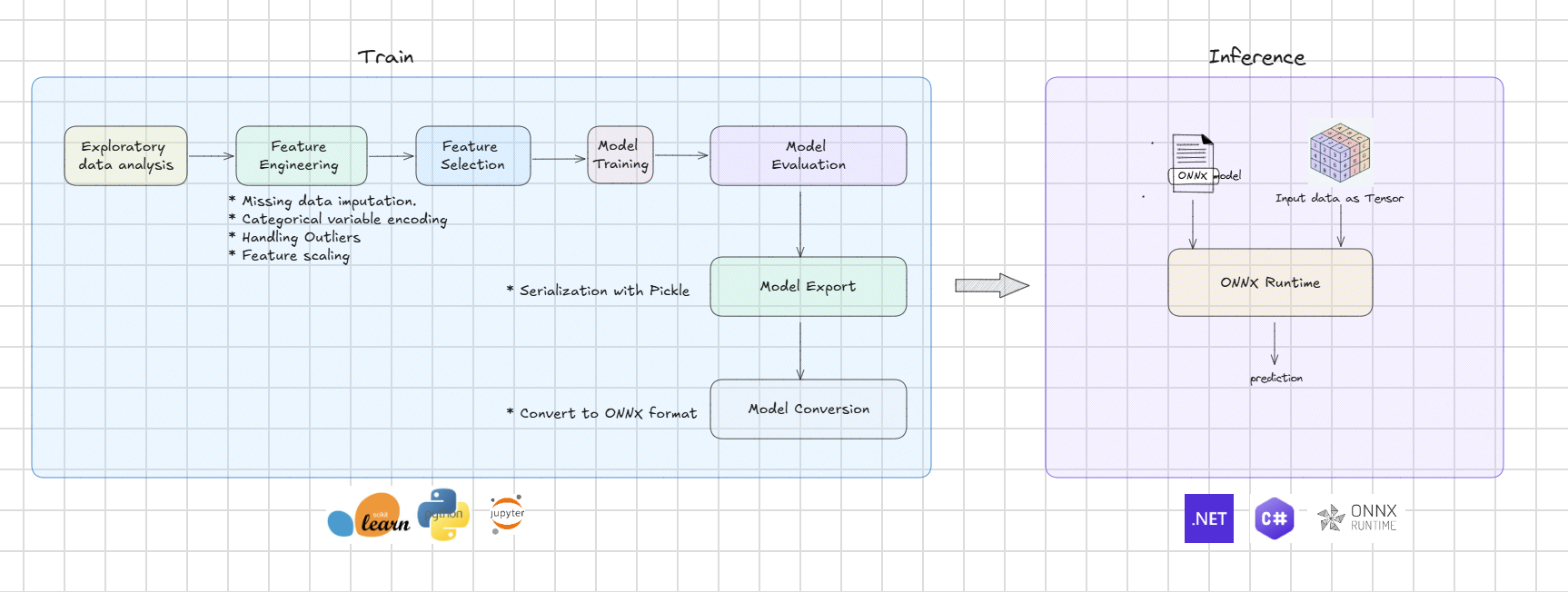
With ONNX, the ML training and deployment workflow naturally splits into two phases:
Training phase: ONNX defines the model standard, and mainstream ML frameworks provide tools to convert models into ONNX format. In the example below, the scikit-learn framework uses the skl2onnx library to perform the conversion.
1 | # Convert into ONNX format. |
Inference phase: Another key component is ONNX Runtime — the runtime engine that executes models. ONNX Runtime is a native C++ library with binding APIs for different stacks, such as C# and Python.
In addition, ONNX Runtime provides different libraries for different hardware — CPU, GPU, and more. In this article, we will default to CPU. In a future post, I will dig into how to improve efficiency with GPU.
The most basic inference flow looks like this. This example uses .NET and C#, based on the Microsoft.ML.OnnxRuntime NuGet package.
1 | using Microsoft.ML.OnnxRuntime; |
Using ONNX for traditional ML models is not the main focus of this article. Next, let’s look at what opportunities ONNX opens up in the GenAI era.
ONNX Runtime GenAI: Evolution in the LLM Era
In the GenAI era, ONNX Runtime has a dedicated extension: ONNX Runtime GenAI. It follows the same philosophy as ONNX Runtime — letting applications embed and load models directly.
In theory, that means large models too. But frontier models today sit in the hundreds of billions or trillions of parameters. In practice, no application can realistically embed those locally.
We can, however, push the idea to the other extreme: small models!
Because they do not depend on cloud resources, small models fit many scenarios: limited network connectivity, strict data privacy and compliance, and lower accuracy requirements but higher latency sensitivity, among others.
So ONNX Runtime GenAI is a strong platform for edge AI built on small models!
In the demo below, let’s try it hands-on.
Demo: Local Small Models with ONNX
Phi-3-Mini-4K-Instruct ONNX Model
In this article, we use Microsoft’s Phi family small model: Phi-3-Mini-4K-Instruct.
Phi-3-Mini-4K-Instruct is an instruction-tuned variant built on top of Phi-3-Mini-4K — a model better aligned with how users interact with chat systems. It has 3.8B parameters and a 4K context window.
The model ships in variants for different compute targets: cuda, directml, and cpu_and_mobile.
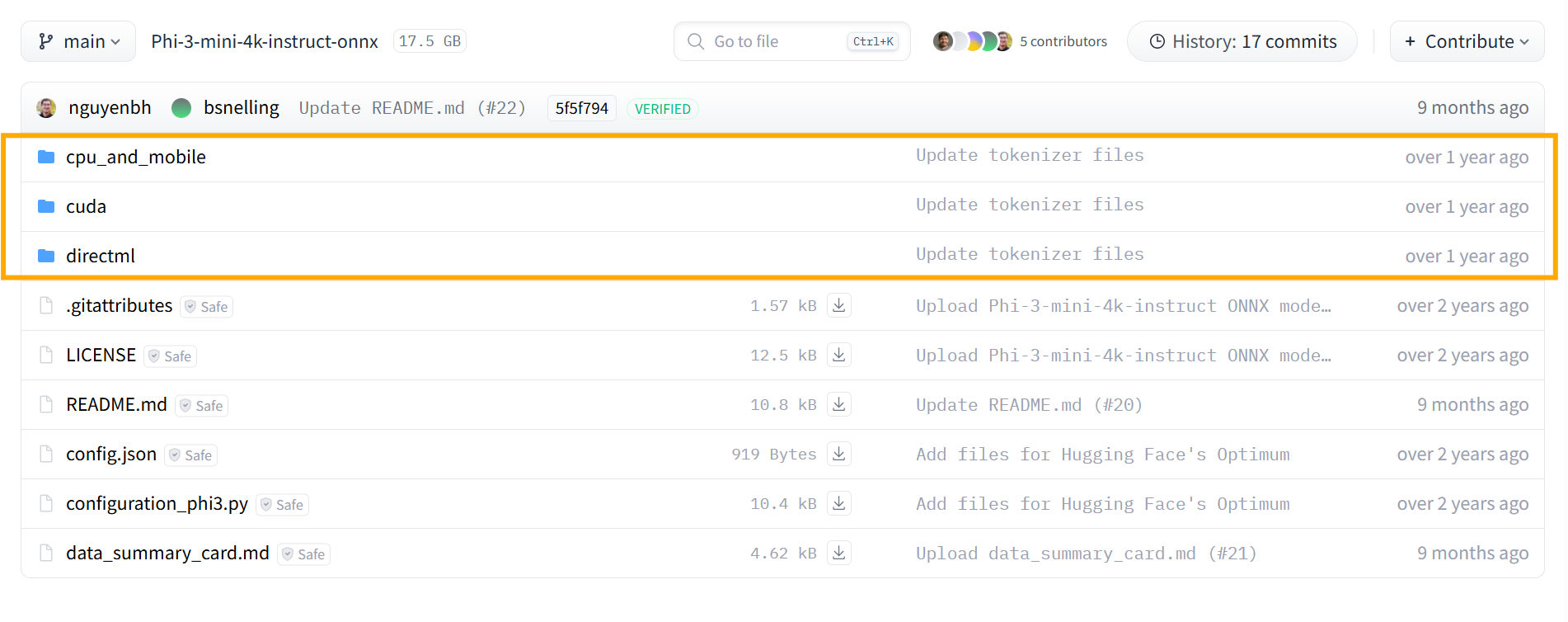
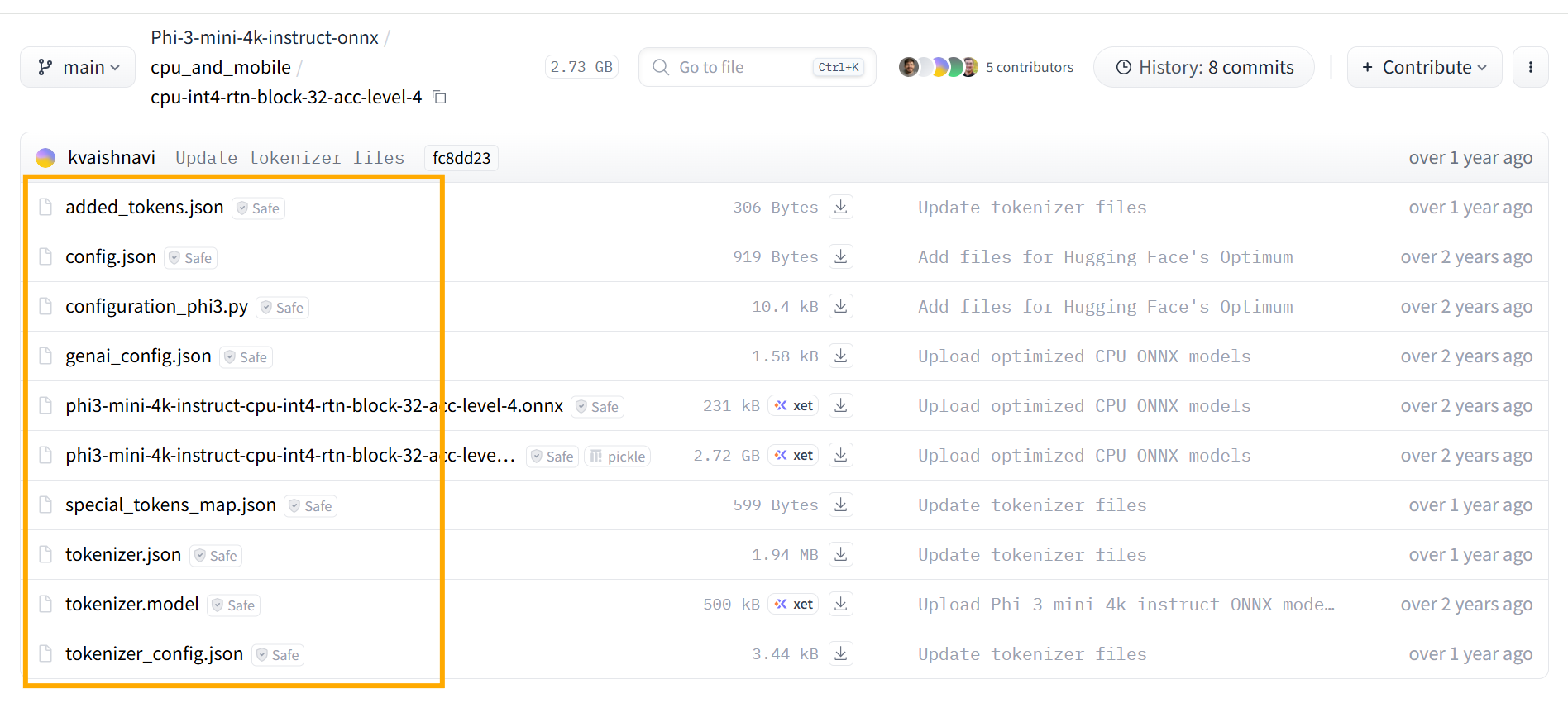
Today we use the cpu_and_mobile variant. It is quantized, with weights compressed to int4, which makes it friendly for ordinary PCs, mobile devices, and edge hardware.
Building a Transformer Workflow with ONNX Runtime GenAI
When you call large models on cloud platforms like Azure Foundry or AWS Bedrock, you usually just specify the model name. Some platforms expose a few Transformer parameters — temperature, top_k, top_p, and so on — so you can shape model behavior at a basic level.
ONNX Runtime GenAI is a relatively low-level engine. You need to assemble the Transformer workflow yourself through its APIs.
On one hand, that is a real challenge. On the other hand, it is an excellent way to learn and practice Transformer fundamentals hands-on. In the sections below, let’s see how to build that workflow with ONNX Runtime GenAI.
The code examples use C# and .NET.
Creating the Tokenizer
The basic unit of information for large language models is the token, so the first step is to create a Tokenizer.
1 | using Microsoft.ML.OnnxRuntimeGenAI; |
Later, we will see how this Tokenizer converts the user’s prompt into tokens.
Creating the Model
Next, we create the model.
1 | using Microsoft.ML.OnnxRuntimeGenAI; |
Pass the model directory path to the engine. It automatically loads the ONNX Runtime GenAI configuration file: genai_config.json. For the Phi-3-Mini-4K-Instruct model we use here, the file looks like this:
1 | { |
Beyond basic model metadata, the search section defines many parameters that affect Transformer inference behavior. We cannot cover all of them in this article, but keep in mind they are adjustable. Try changing them and observe the differences — that is one of the best ways to build intuition for how models behave. I will share more on this topic in a future post.
Configuring the Generator
Next we need a Generator. This is not a theoretical Transformer concept — it is a key engine component that orchestrates the entire workflow.
Transformer models use an autoregressive mechanism: generate one token at a time, then predict the next token based on the prompt and all tokens generated so far — forming a loop. The Generator controls that loop.
When you create the Generator, you can tune the parameters mentioned above to control model behavior:
1 | using Microsoft.ML.OnnxRuntimeGenAI; |
Now let’s look at that loop.
Token Generation Loop
1 | using Microsoft.ML.OnnxRuntimeGenAI; |
From the code above, the flow breaks down into these steps:
- Use the
Tokenizerto convert the user prompt into a token sequence - Pass the token sequence to the
Generator - The
Generatorproduces the next token one at a time until completion - Read the full sequence from the
Generator - Use the
Tokenizerto decode the token sequence back into a string
This code is a clear, hands-on illustration of how Transformer inference works in practice. It is worth reading carefully more than once.
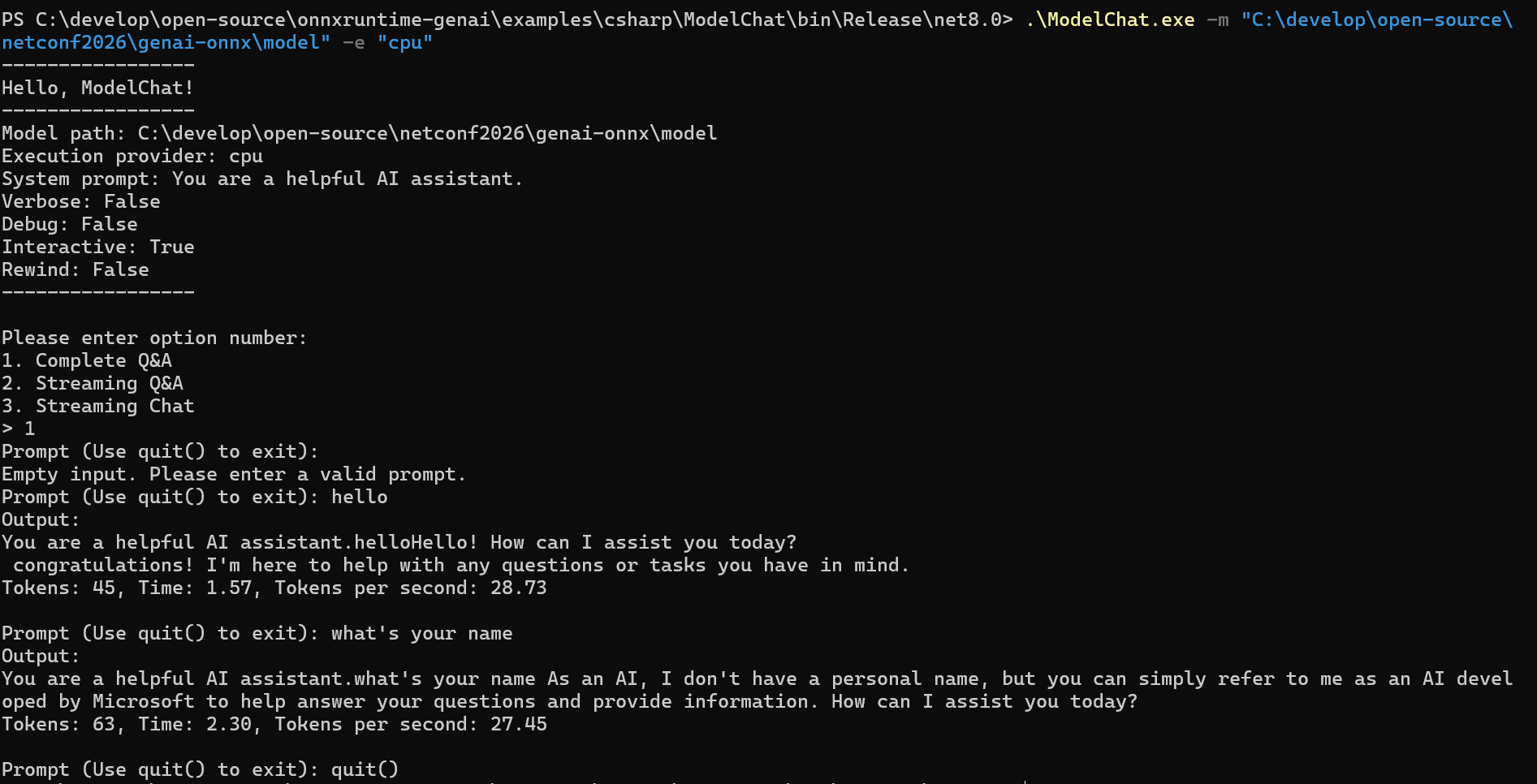
Build and run it, and you will see a small model answering your questions locally on ordinary CPU hardware. Great, right?